
Showit Vs. Squarespace: Which is Better for Wedding Pros? My Honest Review
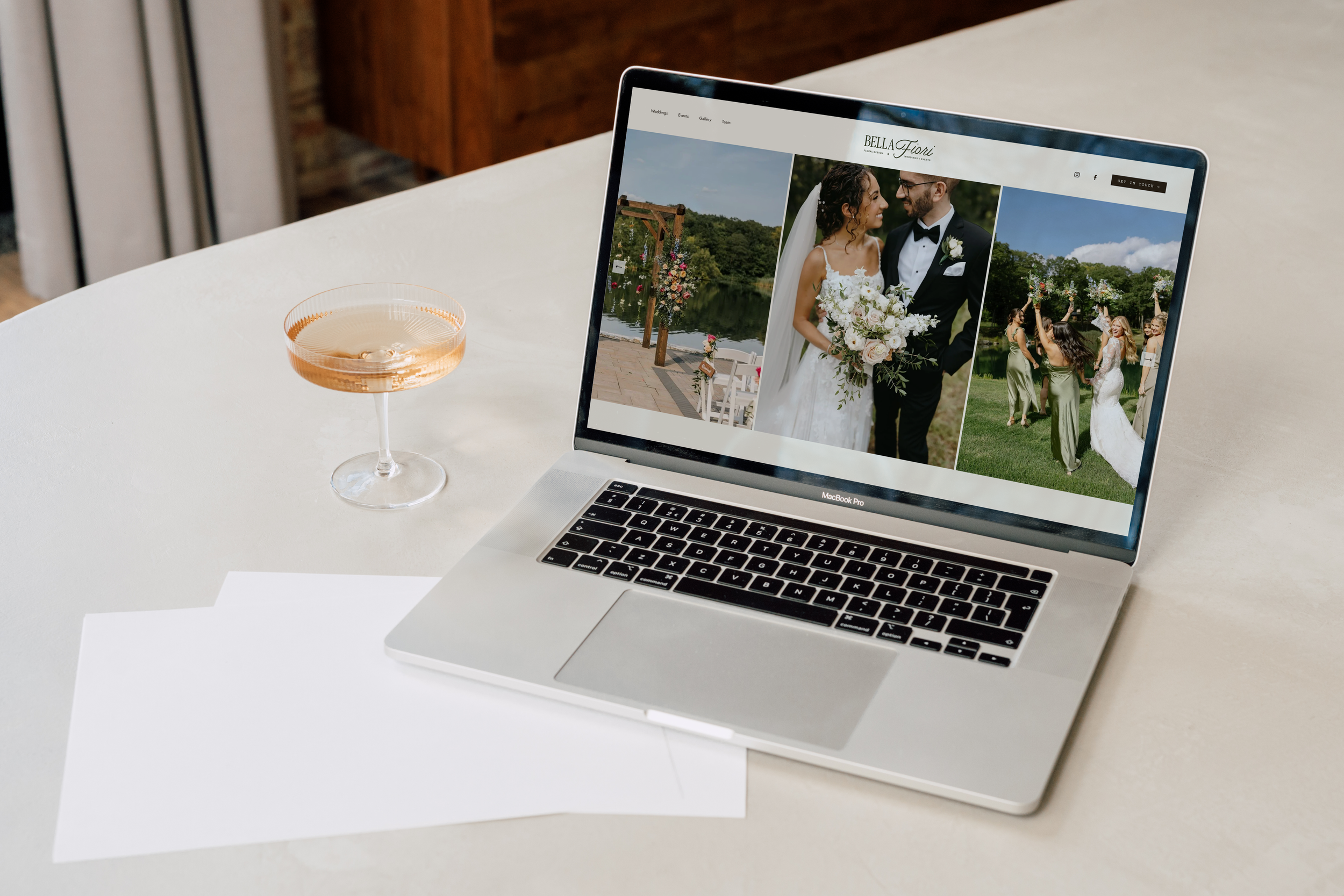
Wedding Florist Website Designed on Squarespace by Studio Soirée
Throughout my years designing websites, I've worked on just about every platform out there — Wix, WordPress, Squarespace, and Showit. Squarespace and Showit are my two favorites for wedding pros, and the reason goes beyond design aesthetics. As a website designer, ease of use matters deeply to me. If a client needs to update their pricing page or swap in a new gallery, I want them to be able to do it confidently — without feeling lost, and without worrying they're going to break something.
So here's my honest, designer's-eye comparison of the two top platforms for wedding professionals. And I'll tell you upfront: neither platform is "better." The right choice comes down to what you prioritize — and, just as importantly, whether you plan to work with a designer long-term or want to handle updates yourself.
(Updated for 2026, including Squarespace 7.1 and Fluid Engine.)
Convenience: The All-in-One Factor
Squarespace comes closer to an all-in-one platform than almost any website builder. Blogging, e-commerce, SEO tools, analytics, scheduling, email marketing, domains, and hosting all live within the Squarespace ecosystem, often without requiring third-party plugins. For wedding pros, that's a major advantage. You can showcase your work, collect inquiries, schedule consultations, and sell digital products without piecing together a dozen different tools.
Showit takes the opposite approach: it does one thing exceptionally well — design — and connects to other platforms for everything else. Blogging runs on WordPress, which means a second platform with its own login and learning curve. Selling products, booking appointments, and managing clients typically involves integrating tools like Shopify, ThriveCart, Bloom, HoneyBook, or Dubsado.
To be fair, there's a real upside to Showit's approach: many wedding pros already live in HoneyBook or Dubsado, and Showit lets you keep using the best tool for each job instead of settling for built-in versions. But if you'd rather not juggle multiple systems, that flexibility starts to feel like extra work.
Where I land: Squarespace, easily. If "everything under one roof" is what you’re looking for, this category alone might decide it for you.
Design Flexibility
This used to be the easiest category to call, but Squarespace is budging a little in terms of becoming more flexible, in a good way.
Squarespace 7.1 with Fluid Engine is its new flexible editor. It runs on a grid system that lets you place blocks freely, overlap elements, and even adjust your mobile layout separately from desktop. Newer additions like the Transforms tool let you rotate blocks and adjust opacity without coding. That said, you're still working within sections and site-wide style settings — and a lot of effects still rely on CSS (totally fine if you have a designer; a hurdle if you don't).
Showit remains the true blank canvas. Every element can be placed, layered, and sized exactly where you want it. For mobile + desktop editing, it gives you completely separate desktop and mobile canvases. You're not adjusting a mobile version of your desktop design — you're designing two experiences independently. Though Squarespace now gives the option to hide certain elements on mobile or desktop (game changer), Showit is still more flexible when it comes to mobile vs. desktop experience.
Where I land: Showit takes this category, but Squarespace — known for it’s canvas limitations — is taking steps closer to becoming more flexible.
The real difference isn't custom vs. cookie-cutter; it's how far past the edge of the canvas you need to go.
Galleries, Photos & Video
Wedding pro websites are filled with gorgeous photo + video galleries.
Showit gives you complete creative control over how images and videos are displayed. You can easily adjust sizing, accommodate different image orientations, and create layouts that feel custom to your brand without relying on code. If you're particular about presentation (and most creatives are), this flexibility is a huge advantage.
Squarespace doesn't get enough credit for its galleries. They're clean, polished, and work beautifully right out of the box. On the backend, Squarespace also makes image management easier with features like editing image filenames after upload, built-in image optimization, and straightforward SEO settings. While certain image sizing customizations may require CSS, its overall media management experience is excellent.
Where I land: This one depends on what matters most to you. If your priority is complete control over how your work is presented, Showit takes the win. If you're looking for a streamlined system with strong gallery functionality and user-friendly image management, Squarespace is hard to beat.
Blogging & SEO
Blogging is a super powerful tool for wedding pros — "real weddings" posts and venue guides are some great ways couples can find you on Google.
Squarespace blogging is wonderfully simple. It lives inside the same platform, the editor is intuitive, and SEO essentials (page titles, meta descriptions, alt text, clean URLs) are easy to manage. For most wedding pros, it's everything you need with zero extra maintenance.
Showit blogs run on WordPress — the most powerful blogging platform in the world, but also a separate system to maintain. Heads up on plans: Showit's basic blog tier comes with a fixed set of pre-installed plugins, and you can't add more; custom plugins (like advanced SEO tools) require the higher-tier plan. The long-term ceiling is higher with WordPress, but so is the upkeep.
As for the eternal "which platform is better for SEO?" question — honestly, both are capable. Your rankings will depend far more on your content, keywords, image optimization, and site speed than on which builder you choose. One small Showit perk worth noting: you can assign heading tags (H1, H2, etc.) to any text element, which gives you precise control over your page structure. (Squarespace supports heading tags too, but they're more closely tied to specific text block types and site styles.)
Where I land: Squarespace for simplicity, Showit (via WordPress) for long-term blogging power — if you're willing to maintain a second system. Be real with yourself about which one you are.
Making Updates Yourself: The Designer vs. DIY Question
First, let's clear something up: this is not a "designer platform vs. DIY platform" decision. The real question is what happens after launch. Ask yourself: a year from now, who's updating this website?
If the answer is you — swapping galleries after every wedding season, updating packages, adding testimonials — a designer-built Squarespace site is the best of both worlds. You get an elevated, custom design at launch, and a platform structured enough that you can confidently make those routine updates yourself without breaking the layout (or paying for every small change). Part of that comes down to how Squarespace is built. The platform provides more built-in guardrails around spacing, sizing, and responsive design, so routine updates tend to feel less intimidating for non-designers. This is exactly why I love designing on Squarespace for wedding pros: I hand off something beautiful, and my clients actually feel ownership over it.
If the answer is your designer — and you genuinely prefer it that way — Showit's added design flexibility may be worth the tradeoff. Just know what you're signing up for: those highly customized Showit designs are often more sensitive to edits, so changing a photo, adjusting text, or adding a new section can require a little more care. It's manageable (and Showit's support team is genuinely amazing), but there's a learning curve, and an ongoing maintenance relationship with your designer can be a smart investment.
Where I land: It depends on the relationship you want with your website. Squarespace if you want a designer to build it and then hand you the keys. Showit if you want a designer to build it and stay in the passenger seat. Neither approach is right or wrong — one simply gives you more creative freedom, while the other gives you more guardrails.
Customer Support
Nobody thinks about support until something breaks at 9pm the night before a styled shoot goes live — so let's think about it now.
Squarespace offers 24/7 email support, with live chat available on weekdays (no phone support on either platform, for what it's worth). In my experience, replies are quick and come from actual humans. Where Squarespace really shines, though, is everything around direct support: an enormous, well-organized Help Center, video tutorials, free webinars, and a community forum — plus a huge ecosystem of Squarespace designers if you ever want professional help. Because the platform is so widely used, almost any question you have has already been answered somewhere.
Showit's support team has a genuinely devoted fan base, and it's earned. Live chat and email are available on weekdays with generous hours, and the team has a reputation for being warm, patient, and personally invested — it feels like talking to a small company that knows its users, because it is one. The Showit user community (especially its Facebook groups) is also unusually active and generous, and it's full of wedding-industry creatives, so the advice you get tends to actually fit your business.
One nuance worth knowing: if your issue lives on the WordPress blog side of a Showit site, troubleshooting can involve more moving parts than a question about a Showit page itself.
Where I land: Honestly, both are strong. Showit wins for the warmth and community feel — I actually enjoy speaking with their customer support team members. Squarespace gets the edge for around-the-clock availability and the sheer depth of self-serve resources. You won't be stranded on either platform.
Pricing
The platforms themselves are in a similar ballpark, but the total investment differs.
Squarespace plans start around $16/month (annual billing), with built-in tools that replace things you might otherwise pay for separately.
Showit starts around $22/month for a site without a blog, about $27/month with a basic WordPress blog, and $39/month for the advanced blog plan. Remember that e-commerce, scheduling, and email marketing tools are add-on costs on top of that.
Prices change, so always check each platform's current pricing before committing.
Where I land: Squarespace for the lower total cost of ownership — and that holds true whether you DIY or invest in custom design, since you won't be layering on subscription tools or ongoing edit fees afterward. But here's the wedding-industry math worth doing on either platform: if your packages start at $3,000+, a professionally designed website that books you even one additional couple per year pays for itself many times over. Cost matters; return matters more.
The Final Word
If you've been keeping score, you've noticed neither platform sweeps.
Choose Squarespace if:
You want a beautifully designed website and the confidence to update it yourself between wedding seasons
You love the idea of booking, blogging, selling, and your website all under one login
You'd rather not pay for (or wait on) a designer every time you need to swap a gallery or update your packages
An all-in-one system that grows with your business sounds like what you want
Choose Showit if:
You want more control over every detail
A highly layered, editorial visual experience — especially custom mobile design — is central to your brand
You're happy keeping a designer on call for updates, or you enjoy learning a more advanced editor
You're comfortable managing a WordPress blog alongside your site
Both platforms can power a stunning, high-booking wedding business — I've designed on both. The real question isn't "which is better?" — it's "which one fits how you want to run yours?"
Ready for a Website That Books More Weddings?
If you've read this far, here's the part where I get to say: this is exactly what I do. I design custom websites for wedding professionals — primarily on Squarespace, where I love handing clients a site that looks anything but templated and that they feel confident updating on their own. And if Showit is the right fit for your brand? I work there too. The platform should serve your business, not the other way around.
Explore my website design services →
Still not sure which platform is right for you? I'd genuinely love to help you figure it out — no pressure, no pitch. Send me a message and tell me about your business, and I'll give you my honest take.